

Apple has just finished its WWDC 2026 event, and as we had guessed, iOS 27 stole the show. The developer beta became available right after the keynote, enabling developers and eager few to get their initial glimpse of what the iPhones are going to be loaded with this fall. However, if you are still debating which iPhones will be compatible, here is a round-up of all that you need to know – simply and clearly presented.
What Is the iOS 27 Developer Beta?
Apple annually unveils developer beta after WWDC the first build of its new iOS update allowing app developers to test app compatibility ahead of the public launch. It is not a complete, polished product. Rather, it’s an early, rough-around-the-edges build mainly targeted at developers.
Consider it a work in progress. Bugs will be there, maybe battery life will suffer a bit, and some apps could be behaving oddly. If you use your iPhone mainly for work, travel, or banking, it is seriously better to wait. Apple will roll out a public beta in July that will be Much more stable, and the official version will be out in September plus the new iPhone lineup.
What Is New in iOS 27?
iOS 27 is a heavily AI-driven update, and that thread runs through almost every new feature Apple showed off on stage.
A Brand New Siri
The major highlight is Siri AI, which is the entirely re-engineered Apple assistant. The updated Siri aims to have genuine, ongoing dialogues, recall context from previous parts of the conversation, and even know what is on your screen at any time. Siri talks now come through the Dynamic Island, and Apple also introduced a separate app for Siri. This is not a mere change; it is a totally different concept of what a phone helper should be able to do.
Liquid Glass Transparency Control
With iOS 26, there was a new visual design language called Liquid Glass, and now iOS 27 further develops it. This time the feature is giving people choices of how see-through interface elements will be. They can decide if they want a straightforward solid colour or fully frosted glass style.
Apple Intelligence, Expanded Across Apps
Apple’s AI capabilities are further enhanced in iOS 27. Safari, for instance, has AI-powered tab management and a Notify Me feature to warn you when a website is refreshed. The Passwords app is also getting smarter by updating saved passwords for supported accounts automatically. A very handy feature is the possibility to make Shortcuts with everyday language – you just tell what you want to do, and Apple Intelligence makes it for you.
Faster Performance
Apple is touting a 30% increase in core system speed and a 70% jump in photo loading times over previous versions. More users will need to test it before anyone can confirm those numbers, but if the estimates hold up, this could rank among the most responsive iOS updates in a long time.
Better Parental Controls
Along with all these, iOS 27 brings a new set of upgraded parental controls and expanded features for Child Accounts to help families manage screen time and app access in a more meaningful way.
Which iPhones Support iOS 27?
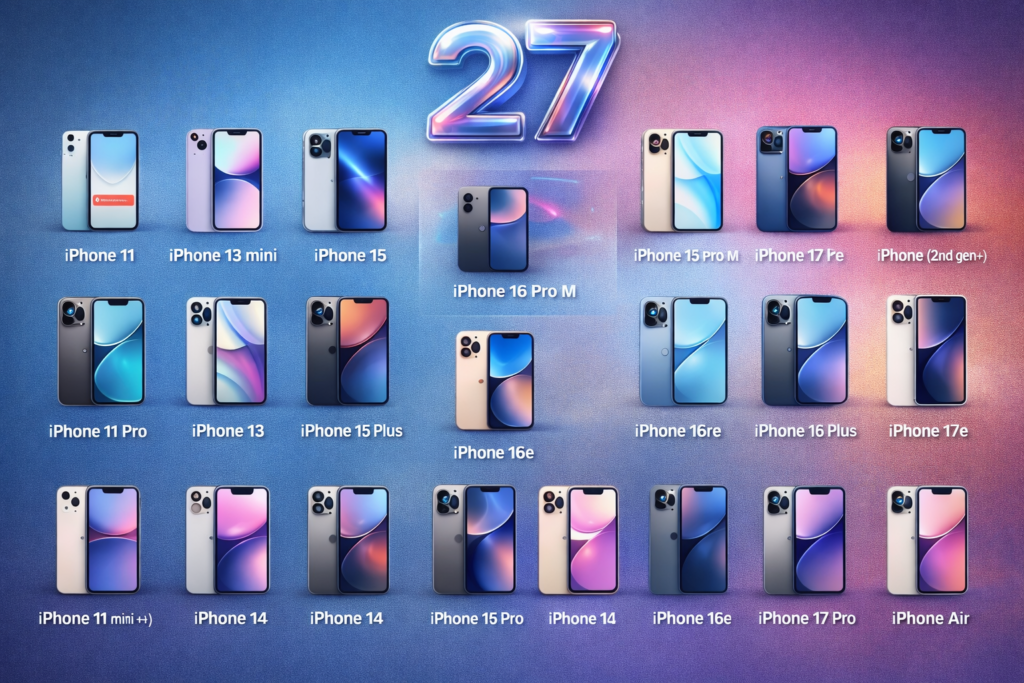
The great news is that Apple hasn’t removed any iPhones from the support list this year. All the phones that were able to operate iOS 26 will also be able to handle iOS 27. So, the support extends back to iPhone 11 that was introduced in 2019.
Supported devices include on the list are iPhone 11, 11 Pro, and 11 Pro Max, the entire iPhone 12 series including mini, Pro, and Pro Max; all iPhone 13 models including the mini; the full iPhone 14 lineup; every iPhone 15 model; the complete iPhone 16 family including the 16e; and the newest iPhone 17 range including the 17e and iPhone Air. Both the second and third generation iPhone SE are also in the list.
Overall, 31 different models of iPhone are supported by iOS 27. Apple for the second year in a row has kept the list of compatible devices unchanged, which is truly a great result for anyone still using an older device.
Not Every Feature Works on Every iPhone
Being on the supported list does not necessarily mean you will enjoy all the features iOS 27 has to offer. The experience will actually vary, given which iPhone you have.
Owning an iPhone 15 Pro, iPhone 15 Pro Max, or any iPhone 16 or 17 model, will allow you to be the first to enjoy the full blown iOS 27 experience including Apple Intelligence and the new Siri AI. If you are between iPhone 11 through the standard iPhone 15 or 15 Plus, you can still have iOS 27 with all its design improvements, performance gains, and most new features but without Apple Intelligence or the rebuilt Siri. And if you are an iPhone Air or iPhone 17 Pro or later user, you get the most advanced on-device AI capabilities Apple has ever shipped, which require the brand new chip and hardware configuration to operate.
iOS 27 does not support the iPhone XR, XS, XS Max, or any older model. If you still use one of these, now might be a good time to think about upgrading. Apple has supported your device well over the years, but iOS 27 is where it draws the line.
Should You Install It Now?
If you’re a developer, by all means, get it installed and start testing your apps. For the rest of us, the best advice is to wait for the public beta in July. That one will be much more stable, more feature complete and way less likely to cause the kind of debugs that mess up your entire day that usually come with early developer builds.
If you still want to go ahead and install it now, do backup your iPhone first. A quick iCloud backup right before you start will take just a few minutes and give you a safety net in case anything goes wrong.
Final Thoughts
Another year, another “not that much” moment for iOS 27. In reality, it appears to be the most substantial iOS overhaul for some time; not only is the new Siri an entirely fresh take on the digital assistant, but performance enhancements mean every supported iPhone will see benefit.
No one’s getting left behind with this year’s platform, with millions of users eligible from iPhone 11 once it hits in September 2026. No matter if you are already on the new iPhone 17 Pro or finding plenty of value from your ageing iPhone 12, there is something in iOS 27 to get excited about.